Your notes stay yours. No account, no cloud, no analytics. Every note is a plain .txt file in your Documents folder. What ezNote never does
ezNote

The notepad that never asks “Save changes?”

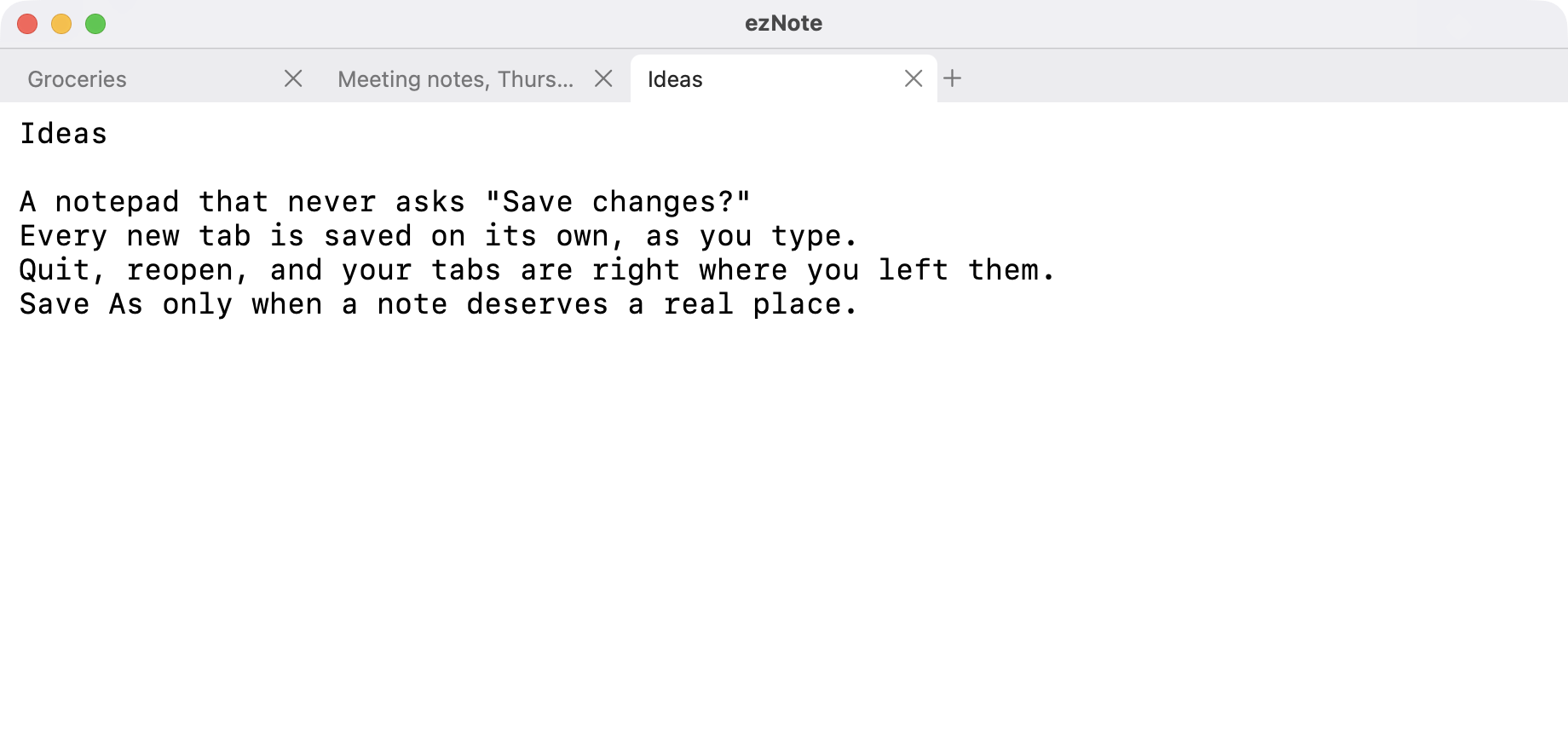
Open a tab and type. Every note saves itself as you write. Quit whenever you like; your tabs are right where you left them.

Download for macOS Source on GitHub Free and open source. macOS 14 or later, Apple silicon and Intel.
ezNote window with three tabs: Groceries, Meeting notes and Ideas. The Ideas note is open.

What it does

ezNote is as simple as the Windows Notepad, with tabs, and without the questions.

Notes that save themselves
Every new tab is a note in ~/Documents/ezNote, written to disk as you type. No file name, no location, no Save button.
Quit without a question
Close the window or press ⌘Q. Reopen ezNote and the same tabs come back in the same order, with the same tab selected.
Quick to close
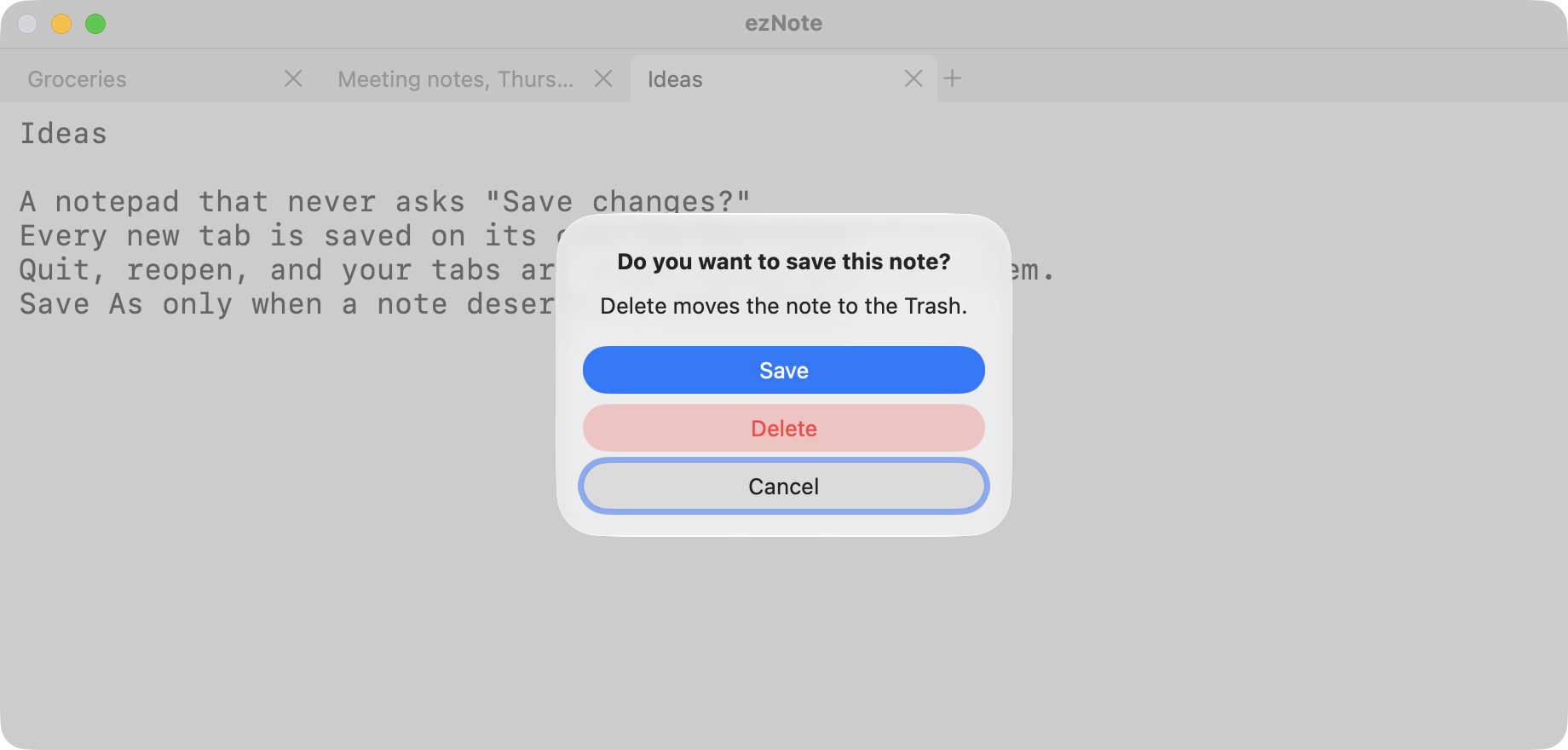
An empty tab closes silently. A note with text asks once: Save, Delete or Cancel. Delete moves it to the Trash, so nothing is lost by accident.
Save As when it matters
Give a note a real place and that tab works like a classic editor: a dot marks unsaved changes and ⌘S writes them. Unsaved changes survive a quit and wait for you.
Plain text, nothing else
UTF-8, line wrapping, no smart quotes and no auto-correct. Paste rich text and you get plain text.
Your font, your size
Any font and size in Settings (⌘,). Zoom with ⌘+ and ⌘−. Find with ⌘F.
How it works

  1. Open a tab

    Press + or ⌘T and start typing. The tab takes its name from the first line.

  2. Walk away

    Switch apps, quit, restart your Mac. Each note is already on disk; nothing waits for a Save.

  3. Keep what matters

    When a note earns a real home, use Save As. Done with a note? Close the tab and choose Delete.

One question, only when it counts

ezNote asking “Do you want to save this note?” with Save, Delete and Cancel buttons.

ezNote asks something only when you close a tab that still has text in it. Empty tabs just go away.

Quitting never asks. Whatever you were writing is there when you come back.

What ezNote never does

All of this lives in code you can read: the tab and file rules are in Sources/NotepadCore, covered by unit tests. See the source on GitHub.

Download

Signed and notarized by Apple. Open the disk image and drag ezNote to Applications. Requires macOS 14 Sonoma or later, on Apple silicon or Intel.

Get the latest release